Why Your APS Bill Is High Even With Solar: The Demand Charge Nobody Explains
Think about your electric bill like a hotel elevator. Most of the day, it may run nice and steady. But if everybody piles in at once, the building has to be ready for that big pull. A demand charge works a lot like that. It is not just asking, “how much energy did you use this month?” It is also asking, “how hard did you pull from the grid during the most expensive window?”
That is the part a lot of solar homeowners never get told clearly. Your panels can be producing. Your inverter can be doing its job. You can still open an APS or SRP bill and wonder why solar did not make the bill disappear.
With demand charges, one bad peak can make the whole month look bad.
The demand charge is about power, not just energy
A normal energy charge is based on kilowatt-hours, which is the amount of electricity used over time. A demand charge is based on kilowatts, which is the rate your home pulls power at a given time. Same house. Different measurement.
APS says its Time-of-Use 4pm-7pm Weekdays with Demand Charge plan includes a monthly demand charge based on the highest hour of energy used during on-peak hours, 4pm to 7pm weekdays, each billing month. APS also explains that staggering big loads during that window can lower demand.
SRP has solar demand plans too, but the plan details matter. SRP explains that some demand charges are based on demand measured during 30-minute or 60-minute intervals during on-peak hours. SRP also states that peak kW demand on its solar price-plan comparison is based on the one highest 60-minute interval during on-peak hours, while its Average Demand Plan uses demand handling specific to that plan.
That is why we do not like generic answers here. APS and SRP are not the same company, and even inside SRP the plan you are on changes the math. You have to read the actual bill and the actual rate plan.
Why solar can work and the bill can still hurt
Solar produces when the sun is available. In Arizona, that usually means the strongest production is earlier in the day than the evening dinner-and-air-conditioning window. But APS on-peak demand for the 4pm-7pm demand plan is about what happens during that late weekday window.
So here is the trap. Your system may send plenty of energy into the home or out to the grid earlier in the day, then your house may pull hard from the grid between 4pm and 7pm when the air conditioner, oven, dryer, pool equipment, or EV charger overlaps. The panels did not necessarily fail. The timing failed.
We see this in real diagnostics. In one recent APS solar-plus-battery analysis, we reviewed bills, interval usage, and system data together. The pattern was not constant heavy use. The pattern was one weekday evening hour repeatedly setting the demand charge for the billing cycle. Most evenings were not the problem. The expensive hour was.
That is a very different diagnosis than “the solar is broken.” It means the next step is not guessing, and it is not pressure. It is reading the bill, the usage pattern, and the system layout together.
The one-hour insight
If your plan uses the highest on-peak interval, the highest interval matters more than the average evening. You can be disciplined all month, then stack several big loads into one on-peak hour and create the demand number that follows you for that billing cycle.
That is why load shifting is not a cute energy tip. It is a bill-control strategy. Run the dishwasher after the on-peak window. Move laundry out of the expensive hours. Keep pool equipment away from the peak window where your plan allows it. Avoid EV charging during on-peak hours unless you have intentionally planned for it. The point is not to live uncomfortably. The point is to stop stacking loads on top of each other.
APS says customers on its 4pm-7pm demand plan can manage costs by shifting energy use to off-peak hours and staggering major appliances during on-peak hours. SRP gives similar guidance for solar and demand plans: manage when large appliances run, stagger them during on-peak periods, and use off-peak hours where possible.
Where a battery can help
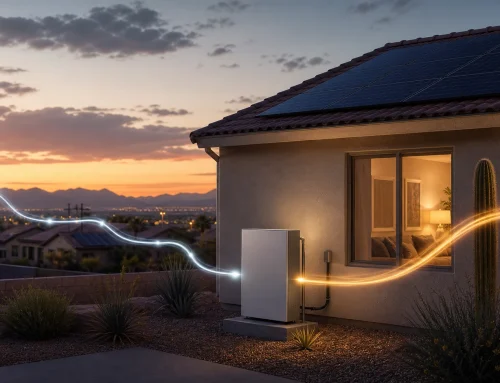
A battery can help when it is set up to shave the peak that creates the demand charge. In plain English, the battery discharges during the expensive window so the home does not pull as hard from the grid at the wrong time.
But a battery is not magic, and this is where the details decide the outcome. It has to be sized, configured, and connected around the loads that are actually creating the demand. If the big evening loads are outside the part of the home the battery can serve, the bill may not change the way the homeowner expected.
That was one of the important lessons from our APS diagnostic work: the system can be healthy and still be wired or configured in a way that does not attack the demand spike. When that happens, the question is not “do you own enough solar?” The question is “is the right equipment covering the right load at the right hour?”
APS versus SRP: do not blur the details
For APS customers, the common demand-charge conversation is the Time-of-Use 4pm-7pm Weekdays with Demand Charge plan. APS describes that demand charge as the highest hour used during 4pm-7pm weekdays in the billing month.
For SRP solar customers, the demand conversation depends on the specific solar price plan. SRP lists demand-based solar plans and export-based solar plans, and it explains that demand intervals and demand calculations vary by plan.
That is why the first move should be boring and practical: identify the plan name, the on-peak window, the demand line, the usage history, and whether the system is actually covering the loads that matter.
What we would check first
- The exact APS or SRP plan name on the bill.
- The demand line and the interval or hour that set it, if the utility shows that detail.
- Whether the biggest loads are running during the on-peak window.
- Whether solar production and household usage line up with the billing period.
- Whether a battery is serving the loads that create the peak, not just a smaller backup panel.
- Whether a rate-plan change, EV charger, pool schedule, thermostat change, or added load changed the pattern.
If you want the bigger diagnostic framework, we wrote more about the difference between a solar problem and a rate-plan problem here: APS or SRP bill went up after solar?
The SouthFace answer
Our job is not to scare you into buying something. It is to educate you enough to make a good decision. Sometimes the right answer is load shifting. Sometimes it is a rate-plan review. Sometimes it is a battery settings or wiring issue. Sometimes the solar really is underperforming. The bill by itself does not tell you which one it is.
That is why we treat this like a long-term relationship. If we are going to be around for the next couple decades, we tell you what the data actually shows, even when it is less flashy than a sales pitch.
If your APS or SRP bill is high and the demand charge does not make sense, start with a real diagnostic. The SouthFace Service Plan is the cleanest path to get the bill, usage pattern, and system checked together without guessing.
Sources
- APS — demand charge defined (power vs. energy) — aps.com/demand
- APS Time-of-Use 4pm–7pm Weekdays with Demand Charge — aps.com/en/Residential/Service-Plans/Compare-Service-Plans/Time-of-Use-4pm-7pm-Weekdays-with-Demand-Charge
- APS — how the demand charge reads on the bill — aps.com/en/Residential/Billing-and-Payment/New-Bill/TOU-4-7-Weekdays-with-Demand
- SRP — solar & demand plans, 30/60-minute on-peak demand intervals — srpnet.com/price-plans/residential-electric/solar-demand-plans-savings
- SRP — solar plan comparison, peak kW = highest 60-minute on-peak interval — srpnet.com/price-plans/residential-electric/solar/compare-solar-plans
Utility rate plans, demand windows, export treatment, and charges can change. The right answer depends on your actual bill, rate plan, usage history, equipment, and how your system is connected.